Your provider invoice shows spend per API key, not per agent, customer, or step. A practical comparison of the three tool layers that fix that, and how to pick between them.
- planner · small model1,120 in / 210 out$0.0009
- retrieve · cached prefix3,400 cached$0.0011
- draft · frontier model2,410 in / 640 out$0.0148
- reasoning tokens1,900$0.0114
- subagent · classify380 in / 12 out$0.0002
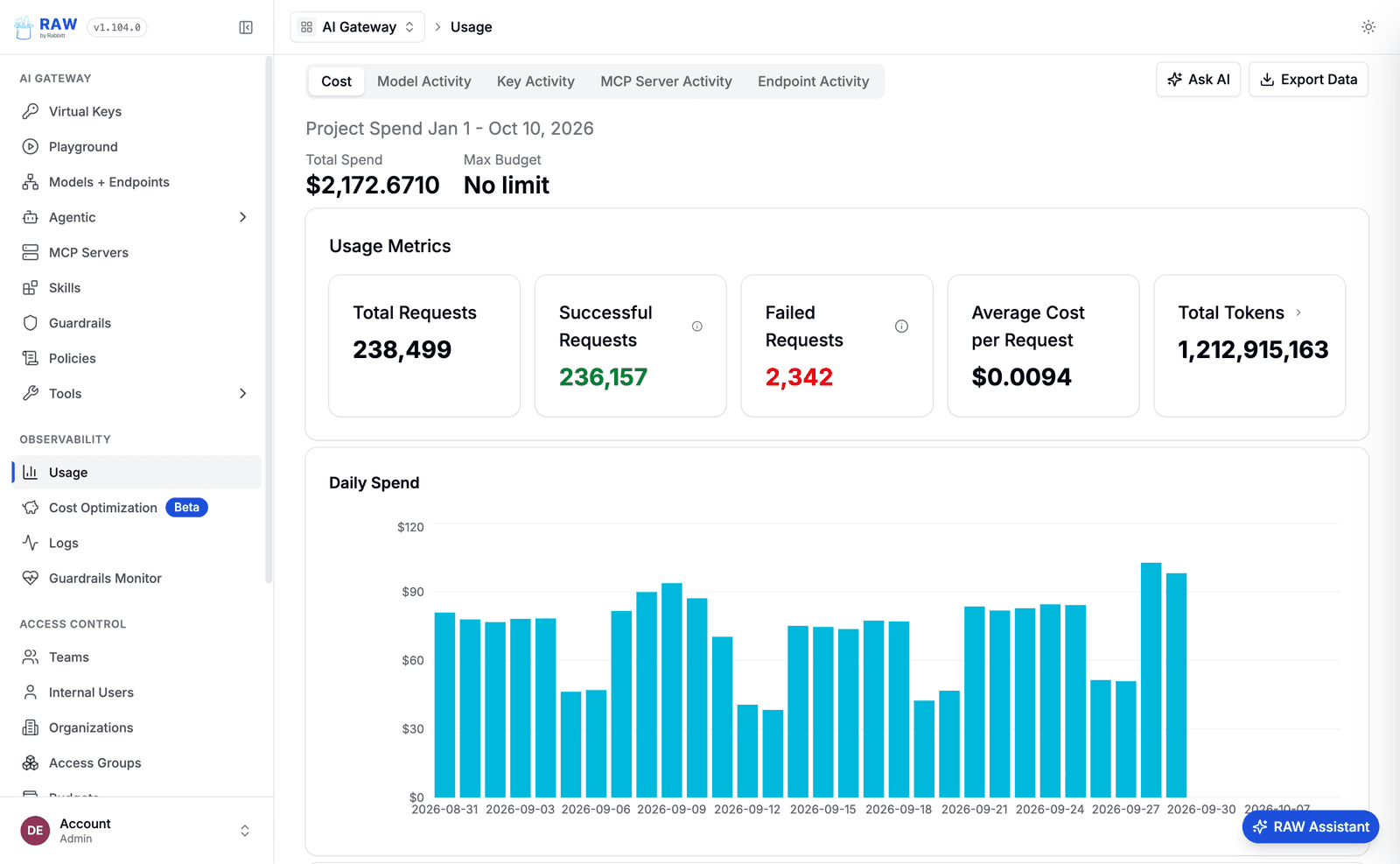
Open your OpenAI or Anthropic invoice and you will see a number per API key. That is useful for exactly one question: did the total go up? It cannot tell you whether the jump came from the support agent, the new onboarding flow, or one customer whose workflow got stuck in a retry loop at 2am.
Agents make this worse than plain chat features. One user request can trigger a planner call, three tool calls, a subagent, and a retry, each on a different model. The cost of that request is scattered across a dozen spans, and none of them carry a customer name.
Tools that solve this fall into three groups: gateways, tracing platforms, and FinOps tools. They overlap less than the marketing pages suggest. Here is what each one can and cannot see.
Why agent spend is hard to trace
Four things break the simple model of multiplying tokens by price.
- A run uses several models. A small model plans, a large one writes, a cheap one classifies the output.
- Token types have different prices. Cached input is a fraction of the uncached rate, and reasoning tokens bill as output even though you never see them.
- Cost is nested. A subagent's spend belongs to the parent run, which belongs to a user request, which belongs to a customer.
- Credentials are shared. Five teams often send traffic through one provider key, so the invoice cannot separate them.
Here is what one run can look like once you itemise it. The numbers are illustrative, but the shape is real: the visible answer is rarely where most of the money goes.
The three layers of cost tooling
Gateways
A gateway is a proxy between your code and the model providers. Because every call passes through it, it can tag requests, cache responses, retry on failure, and, importantly, refuse a call when a budget is spent. No other layer can do that last part.
The catch is granularity. A gateway sees requests, not runs. If your code does not send a run ID or session ID with each call, you get a clean list of calls with no way to group them. LiteLLM, Portkey, Helicone, and OpenRouter are the usual names here.
Tracing platforms
Tracing tools record each model call as a span and nest it inside the trace of the run. Cost rolls up the tree for free, so you can open one run and see that the retrieval step cost four cents and the final draft cost twelve. Langfuse, LangSmith, Laminar, and Datadog LLM Observability work this way.
The limit is that tracing watches from the side. It can alert you that a customer crossed a threshold, but it cannot stop the next request. It also only sees code you instrumented, so a forgotten script calling the API directly stays invisible.
Billing and FinOps tools
These tools pull billing exports and line AI spend up next to the rest of your cloud bill. They are the source of truth for what you actually owe, which matters to finance. CloudZero, Vantage, Finout, and the provider consoles live here.
They work from exports, so data arrives hours or days late, and attribution usually stops at the account or key. Great for month-end, not great for finding out why today looks odd.
What to check before you buy
Feature lists look identical until you ask specific questions. These are the ones that separate tools in practice.
- Can you open a single run and see its cost by step, not just a daily total?
- Are cached and reasoning tokens priced at their own rates? Ask for a sample trace with both.
- Can you set custom prices for fine-tuned, self-hosted, or discounted models? Many invoices will not match without this.
- Can you slice by customer, team, and feature, or only by model and key?
- Does an alert fire when one run or one customer crosses a limit?
- Is there a hard cap that stops traffic, or only a notification?
- Can it run in your own cloud if your data cannot leave it?
Side by side
| Capability | Gateway | Tracing | FinOps | RAW |
|---|---|---|---|---|
| Sees every request | Yes | If instrumented | No | Yes |
| Per-run cost | With tagging | Yes | No | Yes |
| Cost by customer or team | With tagging | Yes | Partial | Yes |
| Blocks over-budget calls | Yes | No | No | Yes |
| Reduces cost (routing, caching) | Some | No | No | Yes |
| Reconciles the invoice | No | No | Yes | Exports to FinOps |
| Data freshness | Real time | Minutes | Hours to days | Real time |
This table describes the typical shape of each layer, not any one vendor. Products move fast, so check current docs before you decide.
Where RAW fits
We built RAW because we kept watching teams wire a gateway, a tracing tool, and a spreadsheet together and still not be able to answer "what did this customer cost us last week." In RAW the gateway and the trace are the same system. Every request passes through the Optimise layer, which can route, cache, compress, or stop it, and every request lands in a trace that Attribute rolls up by agent, customer, and team.
The practical upside is that the place you find a cost spike is also the place you can prevent the next one. You do not need to leave the dashboard, open another tool, and translate between two different ID schemes.
Keep your FinOps tool for the invoice. Feed it attributed data from RAW and month-end reconciliation gets much shorter.
Which one to start with
- You have no visibility today: start with tracing. You cannot cut what you cannot see.
- Spend is growing faster than usage: add a gateway with routing and caching.
- Finance keeps asking who owns the bill: attribute by customer and team, then export it.
- You need all three: pick one platform for the gateway and the trace, and keep FinOps for the invoice.
FAQ
Can a tracing tool cap my AI spend?
Not by itself. Only something in the request path, such as a gateway, can refuse a call. Tracing can alert you, and then a person or a script has to act on the alert.
Why does my tracing tool disagree with my provider invoice?
The usual causes are cached or reasoning tokens priced at the wrong rate, a missing custom price for a fine-tuned model, or traffic that never went through instrumented code.
Do I still need a FinOps tool if I have tracing?
If finance reconciles AI spend with the rest of the cloud bill, yes. Tracing tells you why spend moved. FinOps tells you what you owe. Feed the FinOps tool attributed data instead of key-level totals.
How do I find the cost of a single agent run?
Send a run or session ID with every model call, then sum the cost of all spans that share it. A tracing tool or a gateway that understands runs does this for you.
See what your agents could save.
Bring one agent. We will trace it, optimise it, and show you the cost and accuracy difference.